Table of Contents
Exporting Reusable Flows
Blueprint supports exporting processes as individual, reusable desktop flows. When using this feature, Blueprint will: Export each action or process as a separate PAD flow that can be referenced by a…

Table of Contents
Blueprint supports exporting processes as individual, reusable desktop flows. When using this feature, Blueprint will:
- Export each action or process as a separate PAD flow that can be referenced by any other flow
- Tag each exported flow for easy filtering and organization within PAD
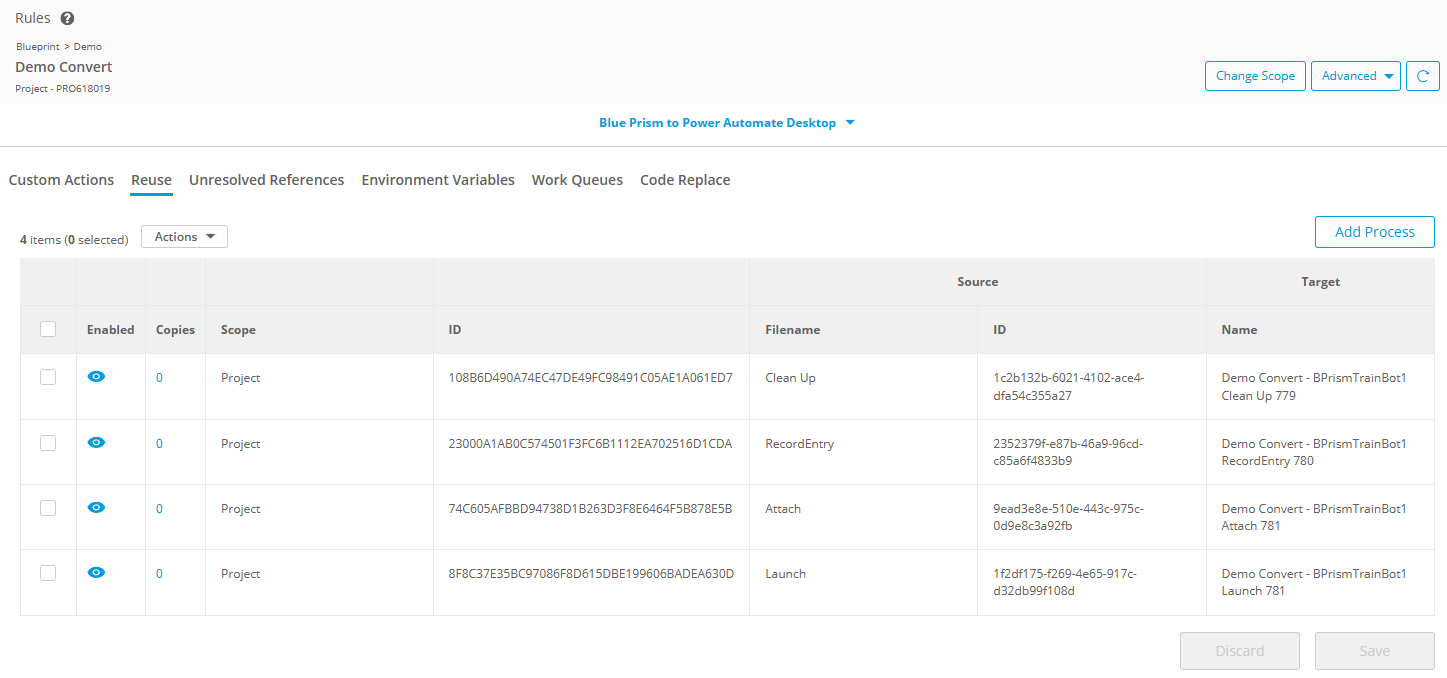
- Create Reuse Rules for each exported flow so that future migrations automatically reference them
- Convert any calls between exported flows into "Run Flow" calls
Blue Prism — Export as VBO
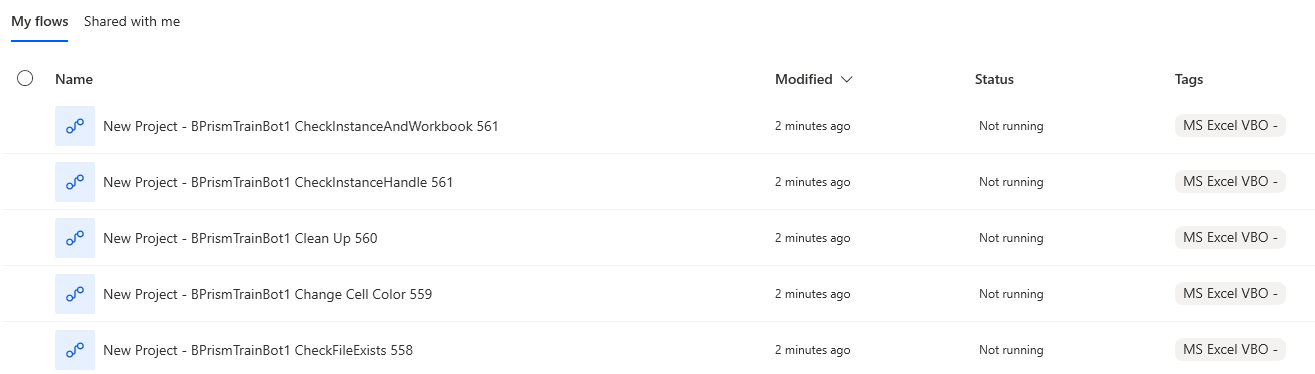
This feature preserves the concept of VBOs after conversion to PAD. Each action within the VBO is exported as an individual PAD flow, tagged with the VBO name so all actions remain grouped and discoverable in PAD's filter view
To use this feature:
- In the Project Explorer, select and activate the root process of the VBO, if not already activated. This is the process that shares the name of the VBO and is the parent of all VBO actions.
- Choose Export > Export as VBO
- Click Continue in the confirmation modal, then select any additional export options when prompted
This will create an export job that creates the tagged PAD flows for each VBO action, and creates the associated Reuse Rules for each action.
UiPath & A360 — Export as Library
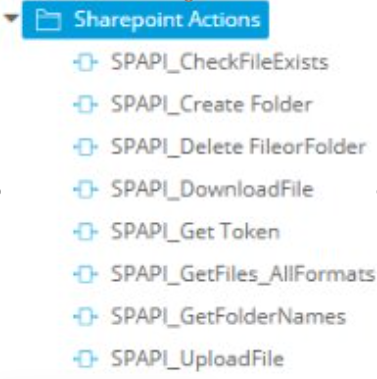
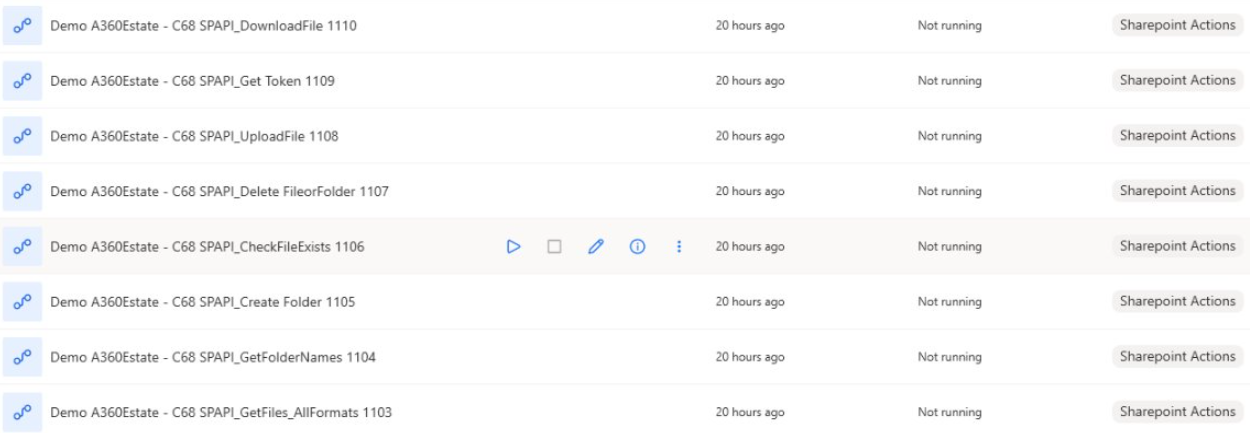
For UiPath and A360 artifacts, any folder or process can be exported as a library. Each Blueprint process within the selected folder or process is exported as a separate PAD flow and tagged for grouping.
To use this feature:
- In the Project Explorer, select the desired UiPath or A360 folder or process artifact
- Choose Export > Export as Library
- Click Continue in the confirmation modal, then select any additional export options when prompted
This will create an export job that creates the tagged PAD flows for each action, and creates the associated Reuse Rules for each action.
Tagging behavior: Tag values are determined by the source platform:
- UiPath — the namespace value is used as the tag
- A360 — the folder name is used as the tag
How did we do?
Metabot Migration - Best Practices
DeconstructWorkQueueItem